

Unlike the basic lock, networked smart locks provide full control and data as to how the employees are utilizing the lockers — frequency of use, size of lockers used, locker banks, and much more.
Discover how smart lockers enhance administrative management and reporting in this brochure, which explores different reporting types, insights, and strategic approaches to locker use.
The hybrid work model involves unpredictable desk assignments and occasional surges in office occupancy. In this environment, while it might initially seem like a minor detail, the role of lockers becomes essential for accommodating unassigned seating plans. Smart lockers provide secure personal storage, enabling employees to adhere to clean desk policies and avoid the hassle of daily item transportation, thereby playing a key role in enhancing employee satisfaction.
Snapshot reporting provides a real-time snapshot of locker occupancy, showing the ratio of used versus available lockers. By integrating this data into an external analysis program and mapping it onto a floor plan, stakeholders can visually understand which locker banks are in use relative to employee neighborhoods and workspaces.
User-focused reporting aids in recognizing patterns and habits associated with locker usage. The insights gleaned from this can assist in fine-tuning the workflow and policies related to locker management across the organization or for individual users.
Identifying campers refer to individuals who have reserved a locker but haven’t utilized it for an extended period. Reporting of this nature enables the identification of such users, facilitating targeted conversations and the possibility of implementing usage restrictions for them.
Utilization metrics show the booking rates of lockers monthly or overall, tracking those accessed at least once. “Actual” utilization highlights the true usage by counting lockers genuinely used. Visualized on a floor plan via an external program, these metrics help stakeholders identify which locker banks are most used relative to employee areas.
Having a strategy for transitioning to hybrid work or even improving upon a current work strategy all starts with data. Companies that invest in flexible and scalable solutions will easily be able to modify their strategy based on the data to find the most success.
Smart lockers provide real-time data to allow you insight to how your lockers are being used. This can help inform future strategies to decide if scaling your locker offering makes sense or to ask questions to learn how your employees are using the lockers and if it aligns with the original intention.
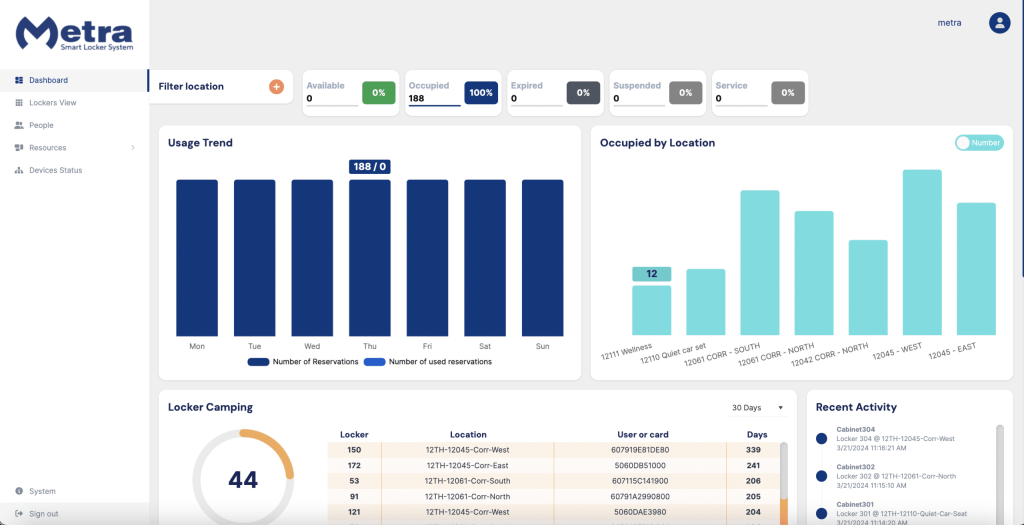
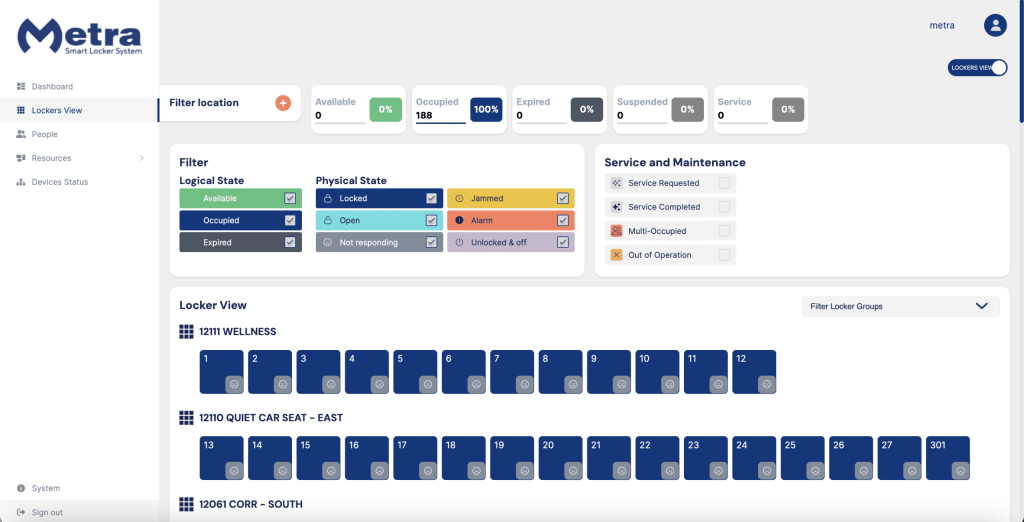
Administrative dashboard provides complete visibility to the current status of the lockers’ physical-state, usage, and overall management of the lockers.
Detailed usage data provides insight to who used what lockers and when.
Open all of the lockers in the building, floor, locker group or bank, or a specific locker with just a click of a button in the management software. Mitigate security threats or assist a user who forgot their card.
With just a few clicks, manually add or delete users. Or even add additional lockers for individual users to access. With 3rd party app integrations, users can be automatically added or deleted. Alternatively, administrators can bulk upload users via CSV file.
Allocate certain groups of employees as part of your service or cleaning crew. Based on your locker policy lockers can automatically go into service mode or manually designate lockers in the software for cleaning crews to clean.